Schedule streams.
Go live automatically.
Set a time, pick your platforms, choose your source. Stream24 starts your broadcast automatically — no manual intervention needed.
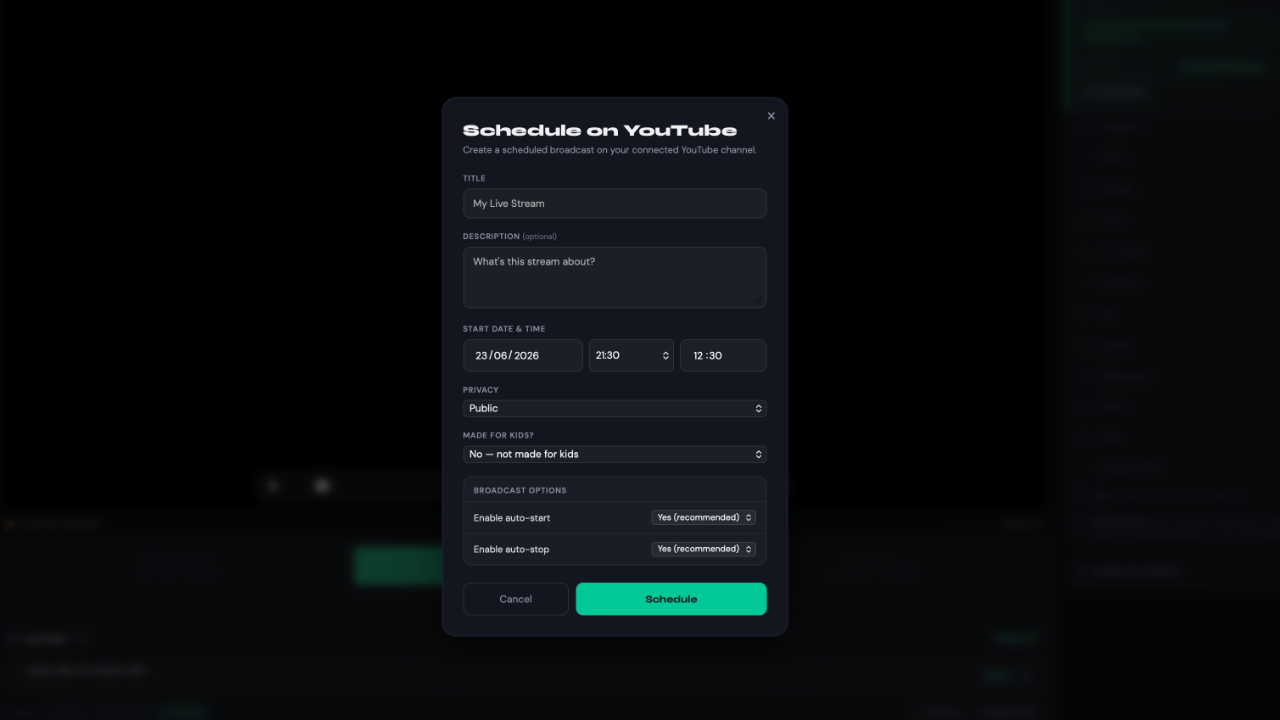
Schedule once.
Stream everywhere automatically.
Pick your date, time, platforms, and source. Stream24 starts the broadcast automatically at your chosen moment — you don't even need to be at your desk.
- Set start time per platform or globally
- Choose source: RTMP push, Cloud Pull file, or playlist
- Auto-stop configured — stream ends exactly when you want
- YouTube-native scheduling with broadcast_id support
Three steps to a scheduled stream
Pick your platforms
Select which of your connected platforms should go live. Mix and match for each scheduled event.
Set your source & time
Choose a Cloud Pull URL, uploaded file, or live RTMP push. Set your exact start time and auto-stop.
Walk away
Stream24 starts everything on time and stops it when you want. Your broadcast history logs every session.
Ready to go live everywhere?
Start free — no credit card required. Upgrade to Pro for all 13 platforms.
Explore other features
Everything you need to go live everywhere
Ready to go live everywhere?
Start free — no credit card required. Upgrade to Pro for all 13 platforms.
Explore other features
Everything you need to go live everywhere