Stream24 Studio for Mac
Studio-grade production.
Stream everywhere.
Produce your live show on Mac with cameras, phones, screens, media, overlays and audio, then send one stream to all your favourite platforms through Stream24.
macOS 13 or later · Apple silicon and Intel · Free to download · Create a free account
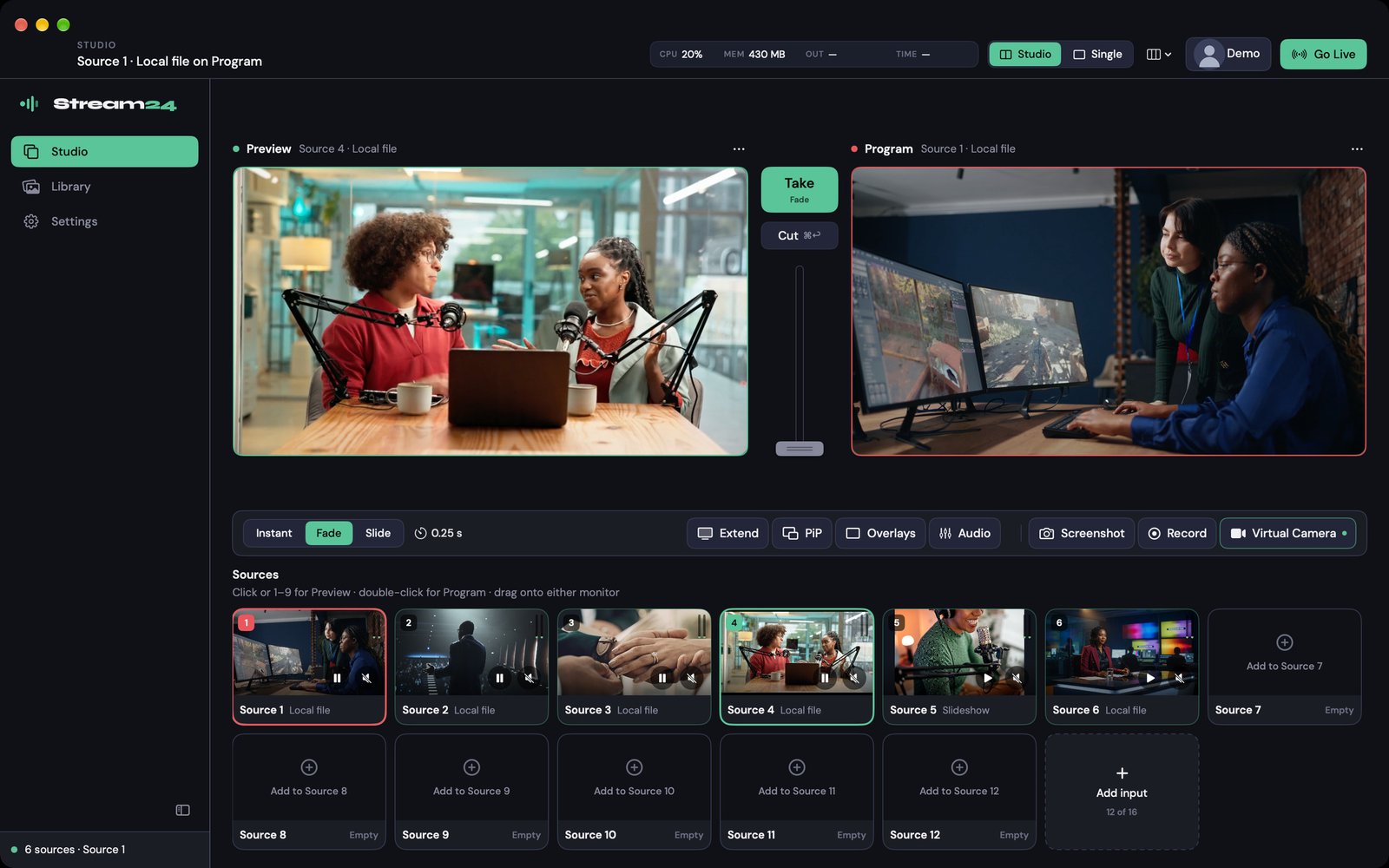
Production meets multistreaming
Studio produces. Stream24 multistreams.
1. Produce
Build the show on your Mac
Switch cameras, phones, screens, media and graphics into one finished programme — with picture-in-picture, audio mixing and recording.
2. Then multistream
Send it everywhere through Stream24
Studio sends that finished production as one stream. Stream24's multistreaming network delivers it to every platform you've turned on.
Multistreaming built in
Produce once. Multistream everywhere.
Studio handles the production. Stream24 handles the distribution. Your Mac uploads one stream — our servers deliver it to up to 13 platforms at the same time.
1Produce on Mac
2One Stream24 stream
3Multistream everywhere
Stream24
Multistreaming network
One stream- YouTube
- Twitch
- TikTok
- X (Twitter)
- Kick
- Rumble
- Dailymotion
- Vimeo
- Trovo
- Custom RTMP
1Produce on Mac
2One Stream24 stream
Stream24
Multistreaming network
One stream3Multistream everywhere
- YouTube
- Twitch
- TikTok
- X (Twitter)
- Kick
- Rumble
- Dailymotion
- Vimeo
- Trovo
- Custom RTMP
One upload, not one per platform
OBS and vMix multistream by sending a separate copy from your connection for every destination. Studio sends one; Stream24 does the fan-out.
Destinations live in your account
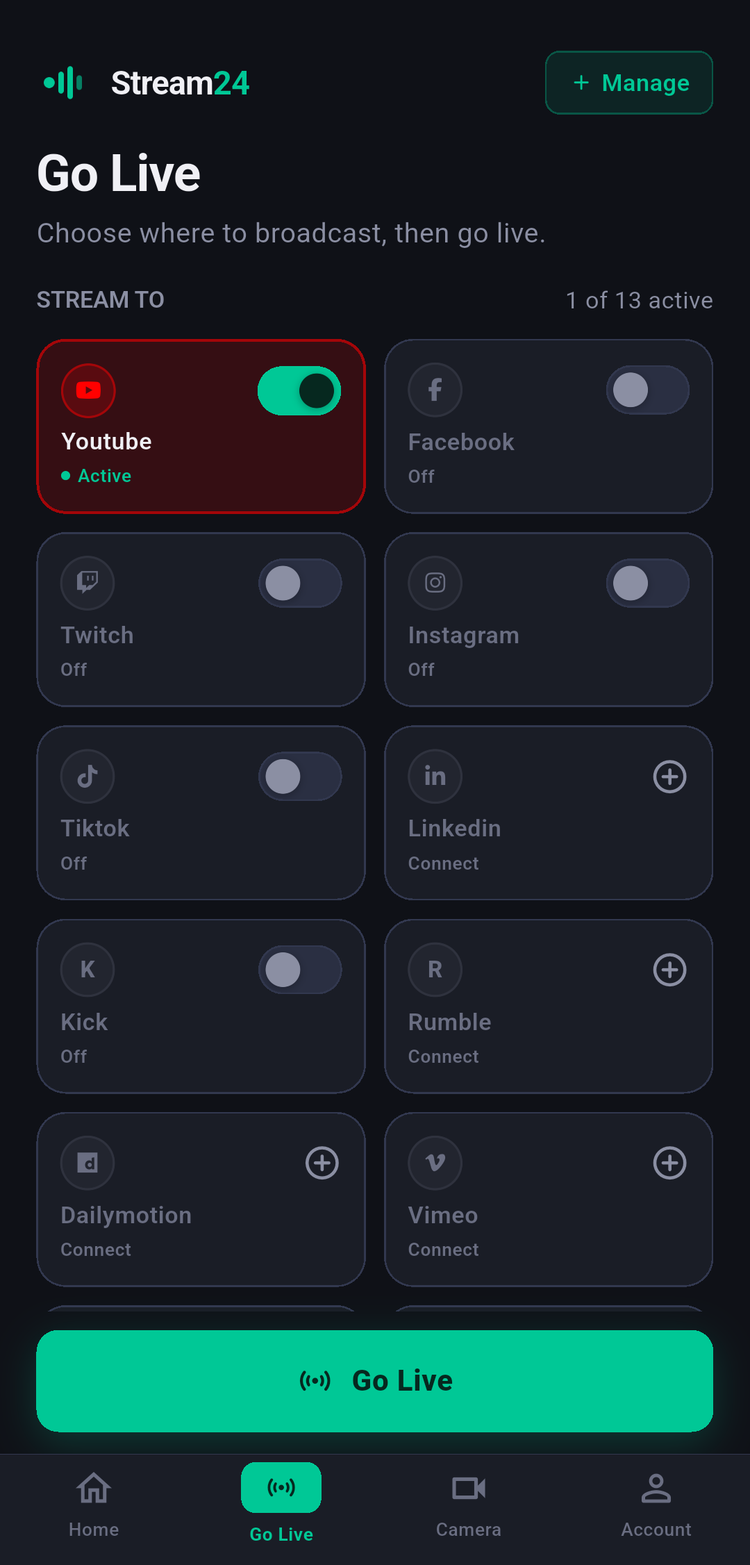
Connect YouTube, Facebook, TikTok and the rest once in Stream24. Studio, the mobile app and the web app all use them — keys encrypted, never re-entered.
Every destination, watched
The Go Live dock shows each platform's status, and the publisher reconnects on its own after a drop.
New to multistreaming? See how Stream24 multistreaming works
Studio Mode
Build the next shot. Then Take it.
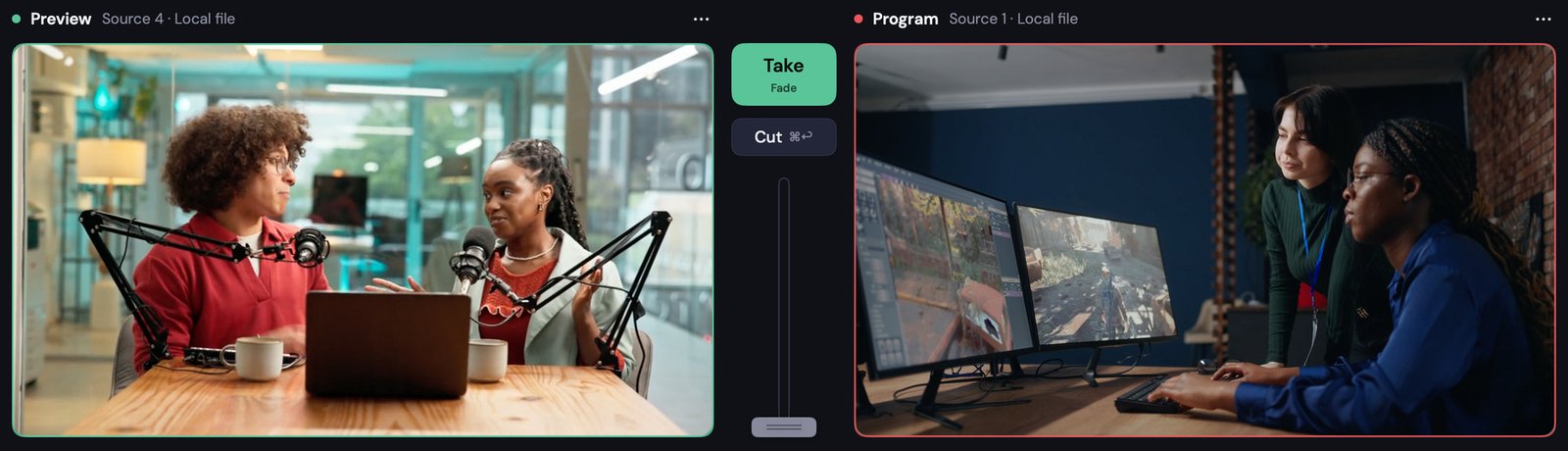
Line up the next shot on Preview with its overlays and picture-in-picture, then Take, Cut or T-bar it to Program. Press 1–9 to pick a source, and save the whole arrangement as a workspace.
- Studio Mode with Preview and Program, or Single for speed
- Instant, Fade and Slide transitions, plus a T-bar
- CPU, memory, bitrate and time on air always in view
Your phones are the cameras
Turn any phone into a wireless camera.
Open Stream24 Live on iPhone or Android, turn on Camera Mode, and the phone appears in Studio over Wi-Fi. No capture cards, no cables, no extra software.
- Up to 4K on paid plans
- Focus, zoom, flip and mute each phone from the Mac
- Several phones at once for a real multi-camera show
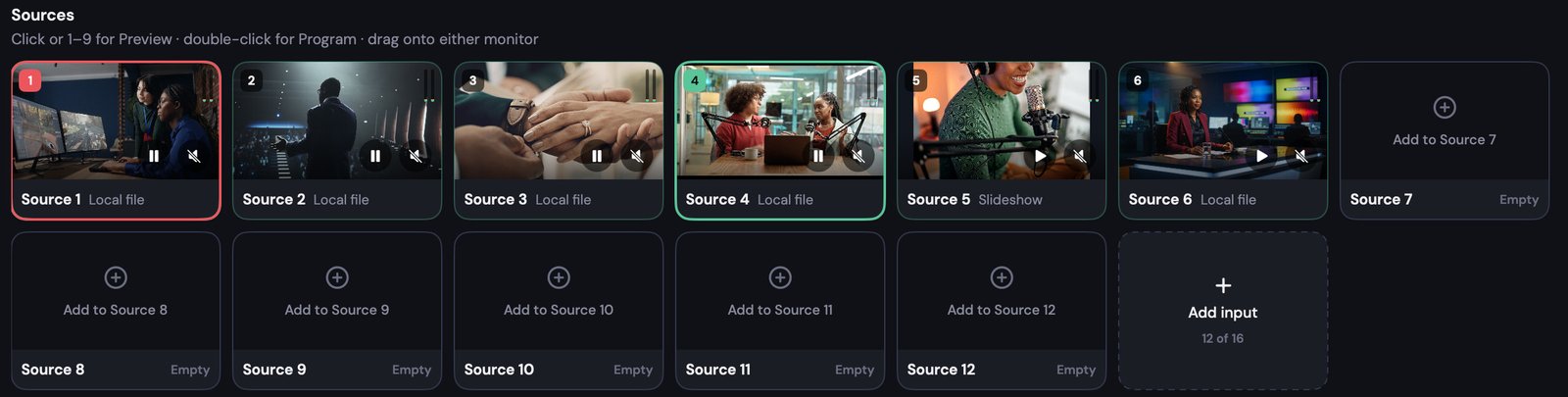
Every source in one strip
Cameras, phones, screens and files.
Up to twelve inputs at once — reveal up to sixteen — each with its own audio, ready to take with a click or a number key.
Broadcast graphics without a designer
82 templates in five sets — Church, Podcast, Events, Livestream and Essential. Edit names, scripture, QR codes and tickers right on the picture.
Be the camera in any meeting
One button makes Program a camera called “Stream24 Studio” in Zoom, Google Meet, Microsoft Teams, OBS and FaceTime.
Everything a show needs
A complete production, before it goes everywhere
- Cameras & capture cards
- USB webcams, HDMI/SDI capture, the built-in camera and Continuity Camera.
- NDI® sources
- Receive any NDI source on your network — the runtime ships inside the app.
- Screen & window capture
- A whole display or a single window, for demos, slides and gameplay.
- Files & playlists
- Videos become a playlist; photos become a slideshow; audio becomes a music bed.
- PDF slides
- Step through PDF pages with the arrow keys or a presenter clicker.
- Picture-in-picture
- Any source inset over Program — circle crop, border, shadow, zoom and pan.
- Audio mixer
- Meters on every bus, per-source level, mute and solo, plus external mics.
- Recording
- Record Program while live — MP4 or MOV, H.264 or HEVC.
- Second display
- Program full-screen on an HDMI or USB-C display for the room.
- Workspaces
- Save a whole production arrangement and recall it with F1–F8.
How Studio compares
Stream24 Studio vs OBS vs vMix
OBS Studio and vMix are both powerful. The difference is what happens after the production: Studio hands one stream to Stream24's multistreaming.
Multistream
Runs on Mac
Destinations & keys
Phones as cameras
Graphics
Virtual camera
Learning curve
Price
| Feature | Stream24 Studio | OBS Studio | vMix |
|---|---|---|---|
| Multistream | One upload, relayed to up to 13 platforms | One output; more needs plugins, each copy uses your upload | Up to 5 streams, each uses your upload |
| Runs on Mac | Yes, native (Apple silicon + Intel) | Yes | No — Windows only |
| Destinations & keys | Managed once in your account | Per machine | Per machine |
| Phones as cameras | Built in, up to 4K | Third-party app or plugin | Via NDI apps or vMix Call |
| Graphics | 82 templates, on-picture editor | Text/image/browser sources | GT Title Designer |
| Virtual camera | Yes, one button | Yes | Yes |
| Learning curve | Low — built for volunteers | Moderate to high | High |
| Price | Free app; full Studio $19/mo | Free, open source | $60–$1,200 licence or $50/mo |
Where Studio wins: Mac users, teams without a broadcast engineer, churches and small productions using phones instead of camera kits, anyone streaming to many platforms on limited upload, and anyone who wants their destinations to follow them across phone, Mac and web.
Where OBS or vMix are the better tool today: very large shows (more than 12 inputs), instant replay, remote guests calling in, deep scripting, NDI output — and, for OBS, fully offline use with no account.
OBS Studio is a trademark of the OBS Project. vMix is a trademark of StudioCoast Pty Ltd. Competitor details from the vendors' public pages as of September 2026 and subject to change.
Plans
Studio comes with every plan.
Studio is a free download and works on every plan. Choose Pro for everything, or the Studio plan for full production on a Mac.
| Feature | Free$0 | Starter$19/mo | Pro$39/mo | Studio$19/mo |
|---|---|---|---|---|
| Platforms you multistream to | 3 | 5 | All 13 + Custom RTMP | 3 |
| Multistream quality | 720p | 1080p | 1080p | 1080p |
| Studio inputs at once | 3 | 6 | 12 | 12 |
| Studio canvas & recording | 720p | 1080p | 4K | 4K |
| Watermark | Stream24 watermark | None | None | None |
| NDI® sources | ||||
| Virtual camera | ||||
| Cloud Pull & scheduled broadcasts |
Who it's for
Built for the people who go live every week
Churches & ministries
Phones as wireless cameras, Church overlay templates and one-click multistreaming, run by volunteers.
Creators & podcasters
A polished show without learning OBS — podcast templates, picture-in-picture and recording.
Events & conferences
Speaker lower thirds, agenda and sponsor graphics, Program on a second screen for the room.
Businesses & educators
The “Stream24 Studio” camera in Zoom, Meet and Teams, PDF slides and screen capture.
System requirements
What you need
Version 1.6.2 · 28 MB.
- Mac
- macOS 13 Ventura or later · Apple silicon or Intel
- Account
- A free Stream24 account. Studio keeps working offline for up to a day
- Phone cameras
- Stream24 Live on the phone, on the same Wi-Fi as the Mac
- NDI® sources
- NDI senders on the same network (Starter and above)
- Virtual camera
- Studio in Applications; approve it once in System Settings if macOS asks
- Permissions
- Camera, Microphone, Screen Recording and Local Network — asked when a source first needs them
Studio FAQ
Questions about Studio
Version 1.6.2 · macOS 13 or later · Apple silicon & Intel.
The app is free to download and works on every Stream24 plan, including Free (3 inputs, 720p, three platforms). Full Studio — 12 inputs, 4K, NDI® — comes with Pro ($39/month) or the Studio plan ($19/month).
Produce your show. Multistream it everywhere.
Download Stream24 Studio free, sign in with your Stream24 account, and go live on every platform with one upload.