Premiere the episode, or go live from the desk.
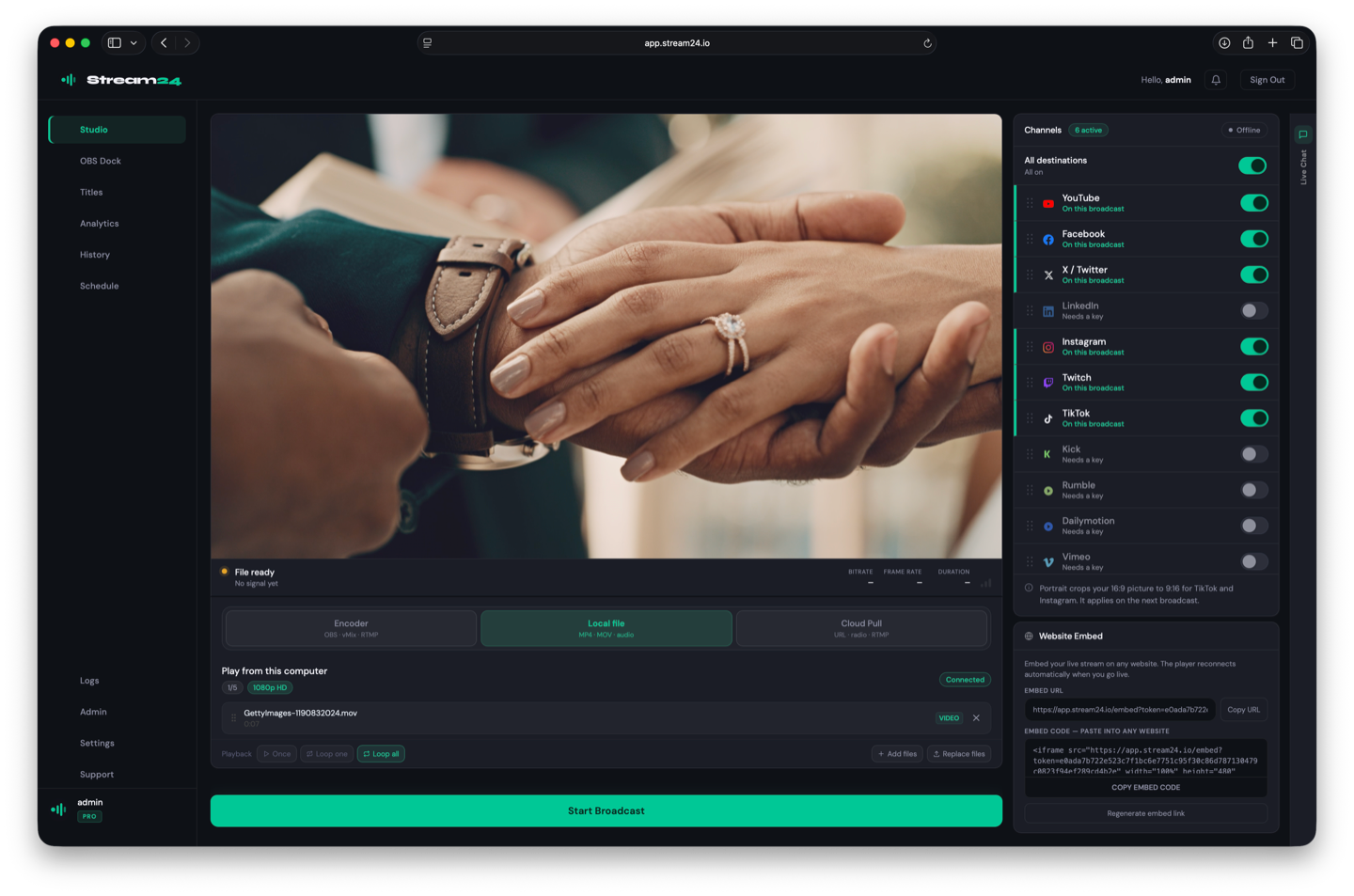
Upload the recording and broadcast it as a live premiere. Or send the show live from your mixer through an encoder. Either way, Stream24 delivers one upload to every platform you have switched on.
01
Bring the episode
Local file streaming plays the file as a live broadcast. No encoder is required for a premiere. Starter is one file. Pro is a playlist of up to five.
02
Or stay live
An encoder on the desk — OBS, Ecamm, or any RTMP encoder — uses the same Stream24 key. Studio for Mac can be that desk, with recording built in.
03
Publish it on time
On Pro, schedule the premiere. The stream starts and stops without someone pressing the button.
A file can be the live show
Upload the episode. Stream24 broadcasts it to the platforms on your plan. Portrait mode crops for TikTok and Instagram on Starter and Pro.
- No encoder for a premiere
- One file on Starter, five on Pro
- 9:16 crop when you need it
Record on the Mac, then send it
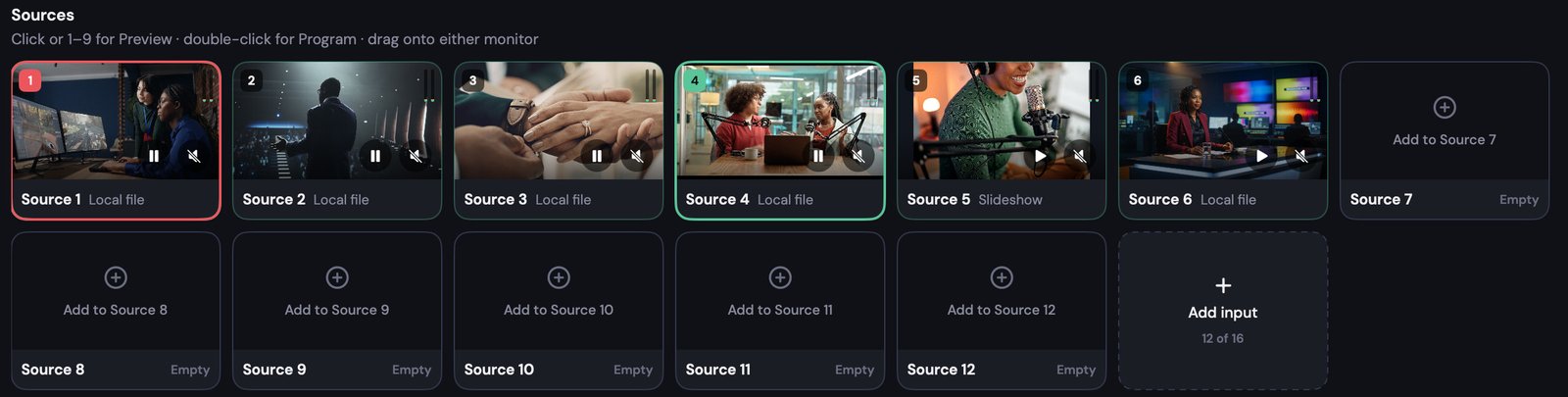
Studio records to MP4 or MOV while you are live, and the programme multistreams through Stream24. Free includes 3 inputs at 720p. You do not need Studio to premiere a file.
- Recording to MP4 or MOV
- Virtual camera if the show is a call
- The multistream is still one upload
Stream once. Reach everywhere.
Free plan, no card. The same dashboard for a class, a show, a game or a launch.