Help Center
How can we help?
Search video guides and fixes for Stream24 multistreaming, Studio for Mac and OmniDownload.
Results for “OBS connection error”
20 results
- OBS or my encoder can't connect to Stream24 Encoders connect with a custom RTMP server and your Stream24 stream key, both copied from Choose Encoder.
- Error messages and what to do What the messages in the Stream24 web app, Studio for Mac and OmniDownload mean, and the one thing to do about each.
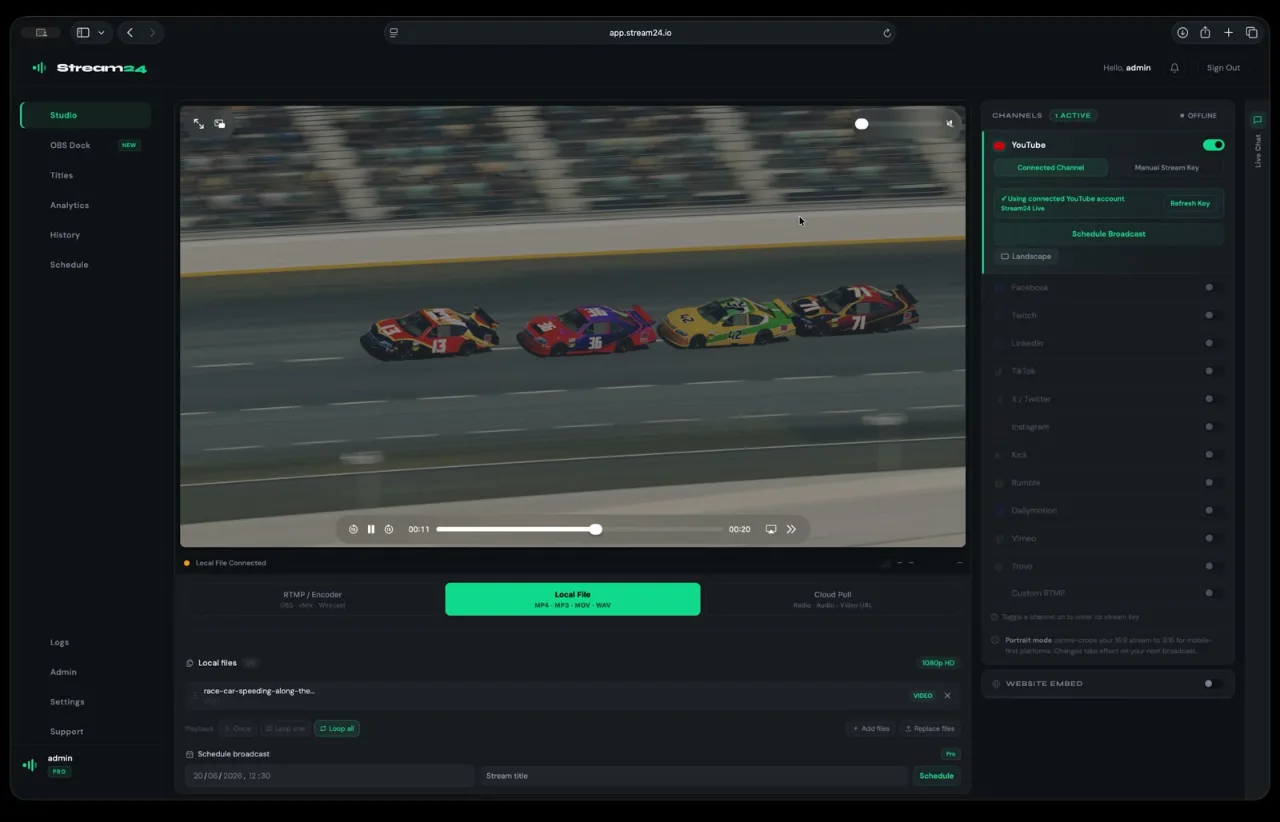
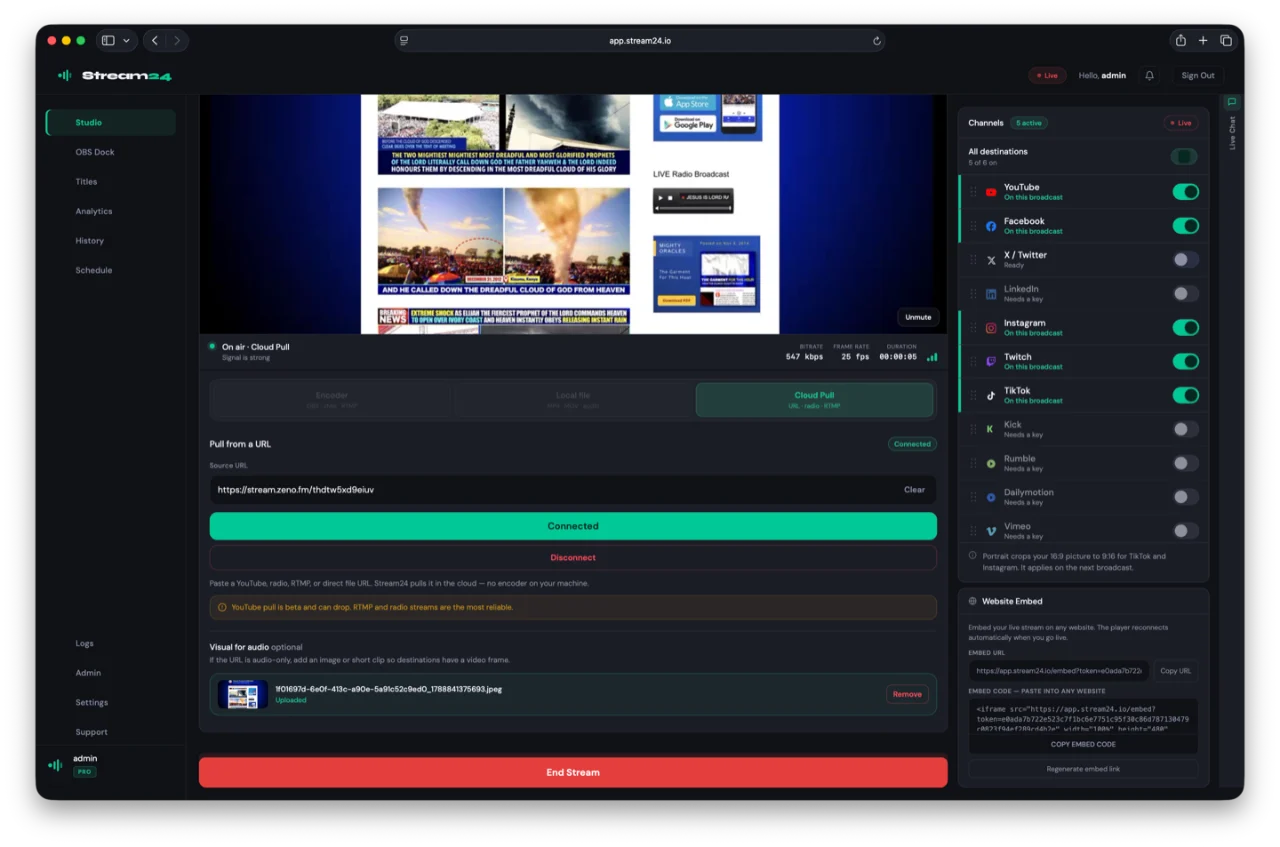
- Stream from a link with Cloud Pull Paste a video, radio or RTMP link and Stream24 pulls it in the cloud and sends it to every channel you switch on, with nothing running on your computer. Part of Pro.
- My stream won't go live Stream24 needs a connected source and at least one saved channel that is switched on before Start Broadcast sends anything out.
- Reset your Stream24 stream key Make a new Stream24 stream key if yours has been shared or shown on screen. The old key stops working at once, so update OBS or any other encoder that uses it.
- Set up OBS, vMix or another encoder Copy your Stream24 RTMP server and stream key into OBS, vMix or a hardware encoder, start streaming, then send that one stream to every channel you switch on.
- Cloud Pull won't connect my link Cloud Pull takes a video, radio or RTMP link and pulls it in the cloud. It is part of the Pro plan.
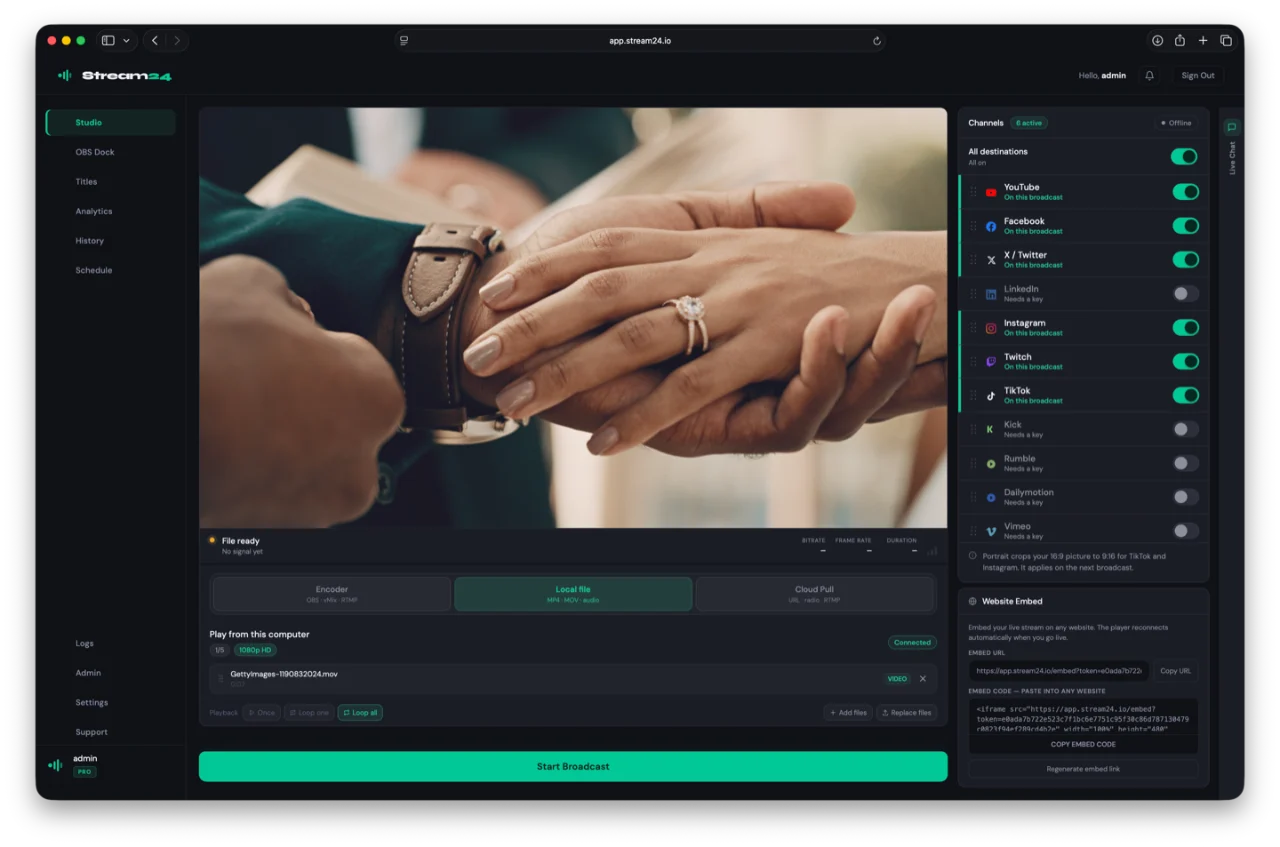
- Go live from Studio Send Studio's Program to every channel in your Stream24 account with one upload. Turn destinations on, check the stream settings and watch the connection while live.
- Multistreaming help Connect your channels, bring in a stream from OBS, a link or a video file, and go live on every platform at once from app.stream24.io.
- Stream24 full walkthrough Sign in, choose a source, set up your channels and go live on every platform at once.
- Connect your streaming channels Add YouTube, Facebook, Twitch, TikTok and other platforms to Stream24 once, either by signing in or by pasting a stream key, then switch on the ones you want for each broadcast.
- Troubleshooting Quick checks for the problems we hear about most. Each one links to the moment in the video guide that shows the fix.
- A channel's saved key stopped working If one platform stops receiving your broadcast, its saved key may have changed on the platform's side, or the connection may need renewing. Save it again.
- Stream from a link with Cloud Pull Paste a video, radio or RTMP link and Stream24 pulls it in the cloud and multistreams it.
- Multistream from OBS or any encoder Send one RTMP stream from OBS, vMix or a hardware encoder to every channel you switch on.
- Will Studio or OmniDownload run on my Mac? Both apps are free to download for Mac. Check your macOS version and chip first.
- OmniDownload won't download a video OmniDownload analyses the link you paste, then downloads the quality you pick. Your plan sets the daily limit and top quality.
- Use Studio as a camera in Zoom, Meet or Teams Turn on the Stream24 Studio virtual camera to show your produced Program in Zoom, Google Meet, Microsoft Teams or OBS, and fix it when macOS needs your approval.
- Connect your streaming channels
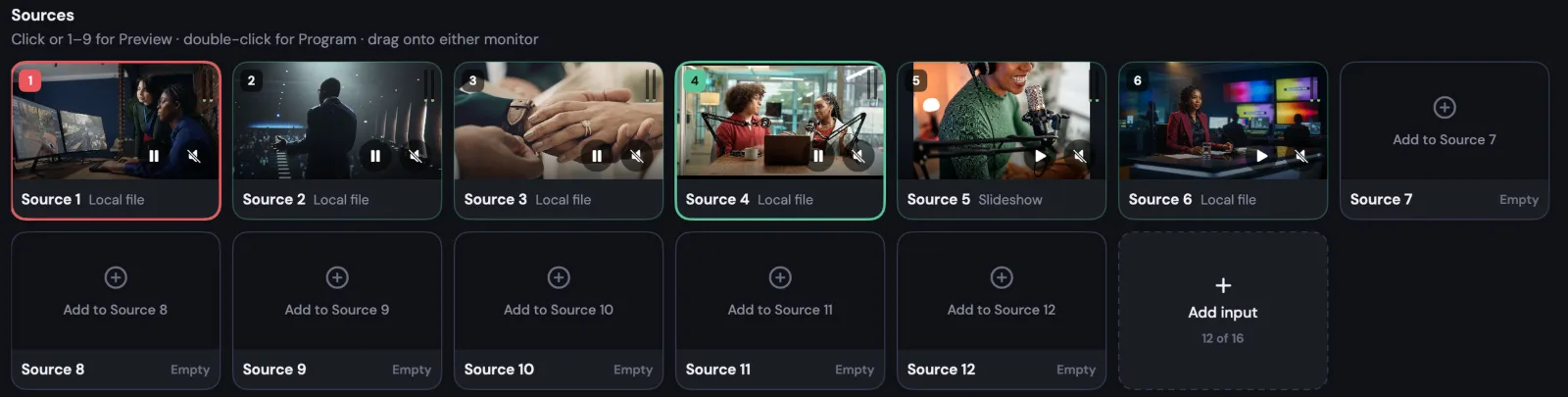
- I can't add another camera or source in Studio Sources go on empty tiles, and your plan sets how many inputs Studio has.
Browse by product
- Multistreaming Channels, OBS and RTMP, Cloud Pull and video files 6 guides · 4 videos · 5 fixes
- Studio for Mac Sources, Preview and Program, recording, going live 8 guides · 4 videos · 4 fixes
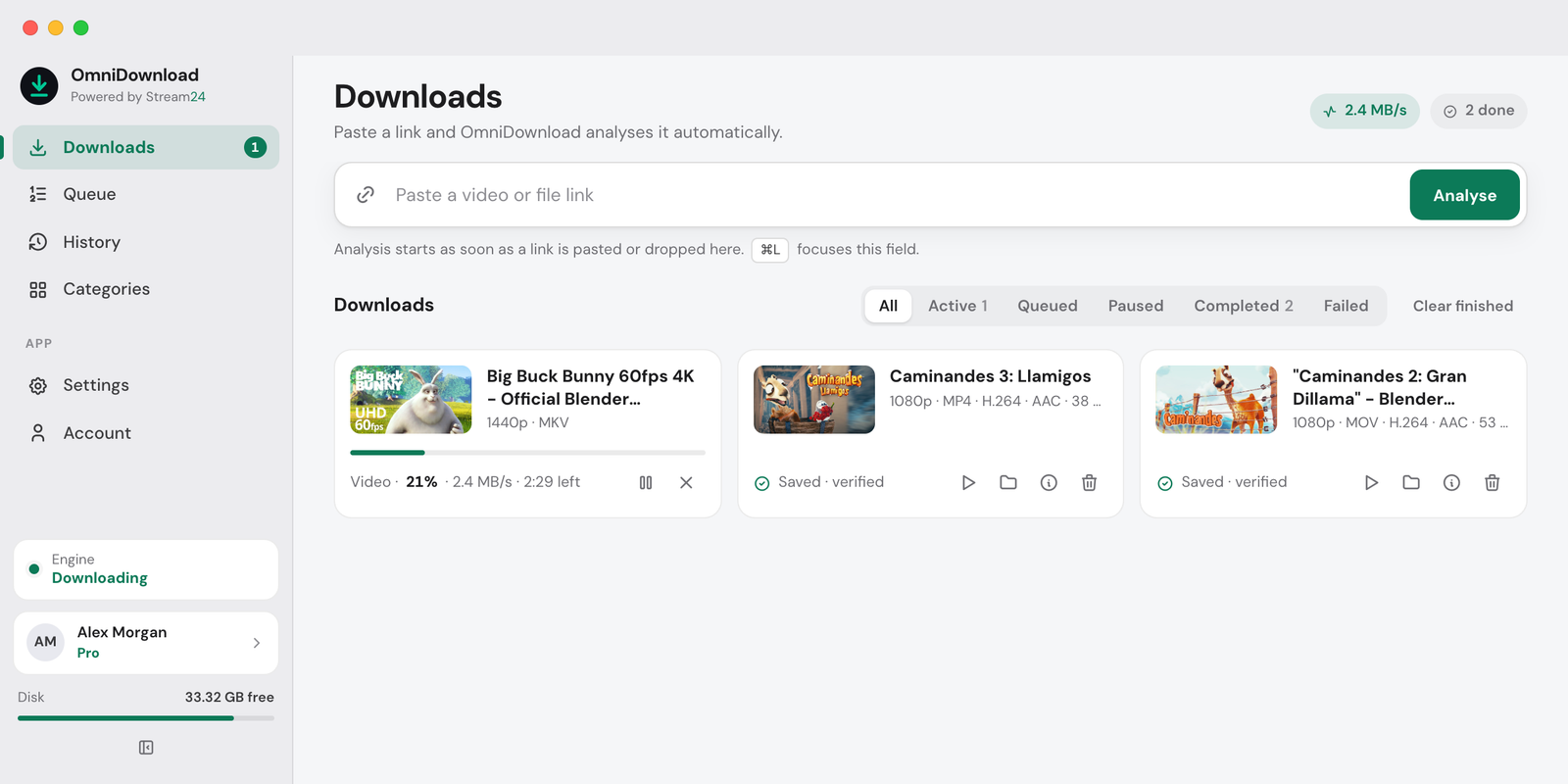
- OmniDownload Links, quality and formats, where files go 3 guides · 2 videos · 2 fixes
- Troubleshooting Streams not starting, connections, downloads 16 fixes
Popular guides
MultistreamingWeb app
Go live everywhere from your browser
All Multistreaming helpSign in, choose a source, set up your channels and go live on every platform at once.
Chapters
How-to guides
-
 Duration 0:55
Multistream from OBS or any encoder
Send one RTMP stream from OBS, vMix or a hardware encoder to every channel you switch on. -
 Duration 0:43
Stream a video file live
Upload an MP4, MOV or audio file and play it out live to every channel, with no encoder. Local file streaming is available on Starter and Pro. -
 Duration 0:48
Stream from a link with Cloud Pull
Paste a video, radio or RTMP link and Stream24 pulls it in the cloud and multistreams it. Cloud Pull is available on Pro.
Studio for MacMac app
Produce your show on your Mac
All Studio for Mac helpAdd sources, build shots in Preview, Take them to Program, record, use the Virtual Camera and go live.
Chapters
How-to guides
-
 Duration 0:35
Add a source in Studio
Add a camera, screen, phone, NDI, slides, video or audio to a source tile in one click. Free includes 3 inputs; Pro includes up to 16. -
 Duration 0:40
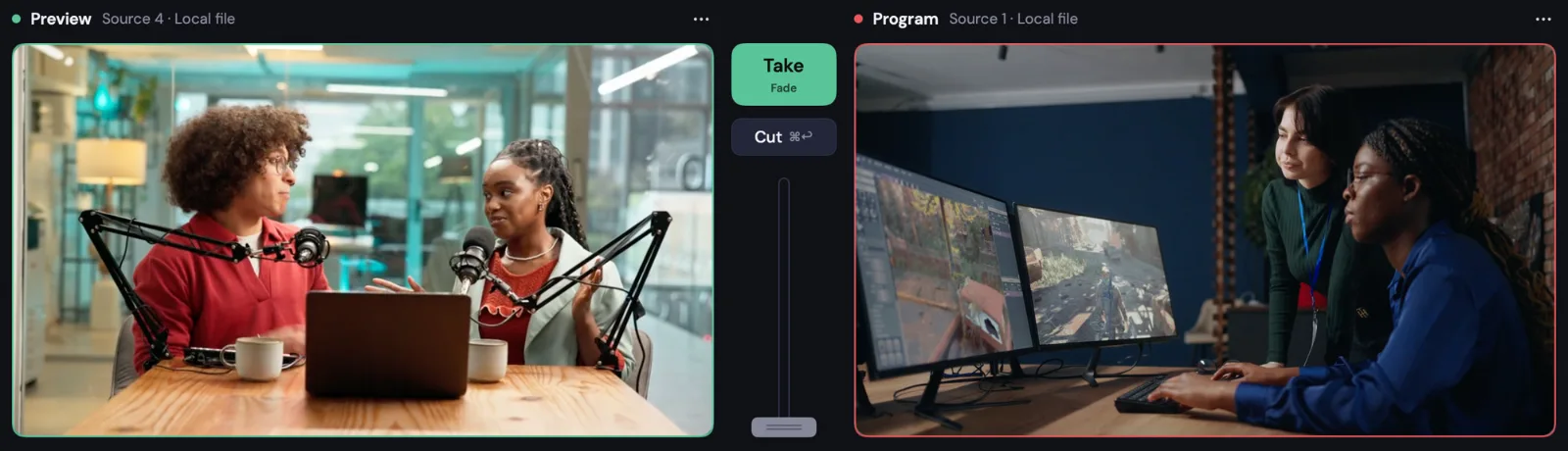
Preview, Take and Program
Build the next shot in Preview, pick a transition and Take it to Program. -
 Duration 0:31
Record and use the Virtual Camera
Record Program to your Mac and use your show as a camera in Zoom, Meet or Teams.
Studio demo footage: Big Buck Bunny and Spring, © Blender Foundation, licensed CC BY.
OmniDownloadMac app · Beta
Save videos and audio to your Mac
All OmniDownload helpPaste a link, choose video or audio, pick quality and format, name the file and track the download.
Chapters
How-to guides

Still stuck?
Tell us what you are trying to do and we will help. We usually reply within one business day.